ChatGPT Images 2.6: AI GIFs & New Features
Artificial intelligence is changing the way people create digital content, and OpenAI is introducing another major update with ChatGPT Images 2.6. The latest version brings exciting improvements to AI image generation, including animated GIF creation, faster image processing, better editing controls, and improved consistency across multiple designs.
Announced on November 4, 2026, ChatGPT Images 2.6 is designed to help creators, marketers, designers, and businesses produce professional visuals with less effort. Instead of creating only static pictures, users can now explore animated content and refine their images with greater control.
But what exactly is new in ChatGPT Images 2.6, and how can these features help content creators? Let’s explore.
What Is ChatGPT Images 2.6?
ChatGPT Images 2.6 is OpenAI’s upgraded AI image-generation experience, designed to make creating and editing visuals faster and more flexible.
The update focuses on three important areas: speed, creative control, and consistency. Users can generate images, transform existing visuals, and create animated GIFs using text prompts or image references.
OpenAI also introduced two new API models, GPT-Image-2.6 Flare and GPT-Image-2.6 Sunburst, giving developers different options for faster generation and higher-quality visual work.
According to OpenAI, its products now generate approximately four billion images every week across ChatGPT, Codex, and the API. OpenAI
7 New Features of ChatGPT Images 2.6
1. Create Animated GIFs With AI
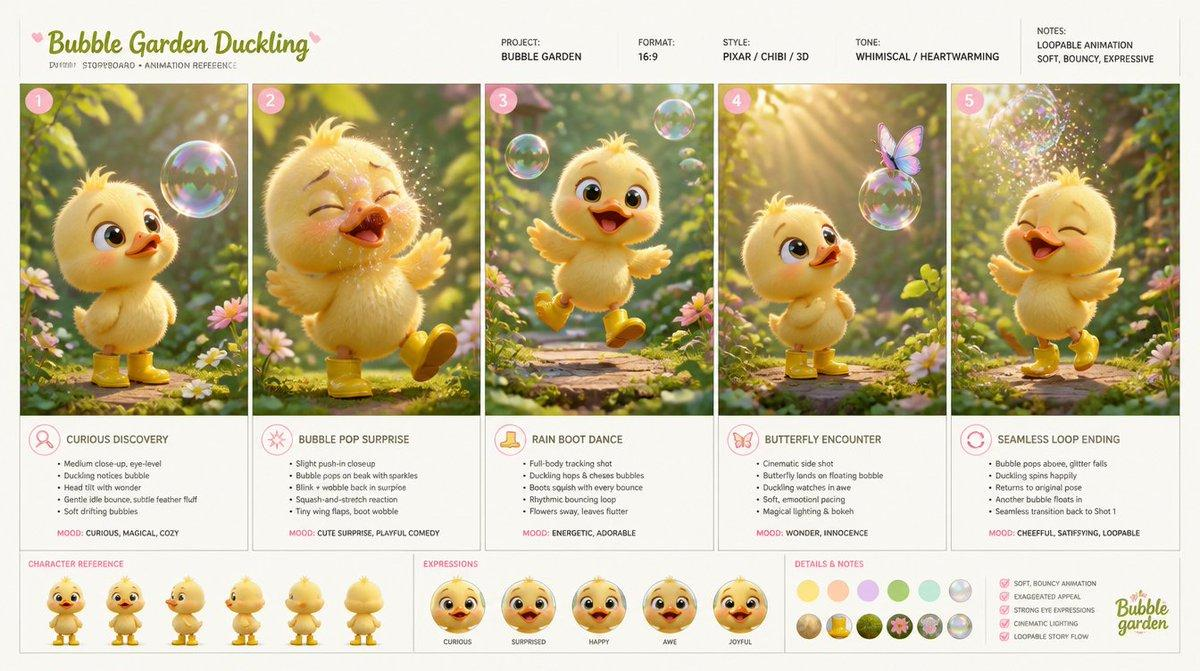
One of the biggest additions is AI-powered GIF creation. Users can turn a text prompt or an existing image into a short animated GIF.
For example, creators can animate characters, create funny reactions, bring brand mascots to life, or turn product images into engaging loops.
Users can also adjust playback speed, edit individual frames, and share their finished animations.
This feature could be particularly useful for social media marketers, content creators, and businesses looking for fresh ways to engage their audiences. BMI+1
2. 50% Faster Image Generation
Speed is another major improvement in ChatGPT Images 2.6. OpenAI says the new models generate images 50% faster than before.
This means users can experiment with different creative ideas, generate multiple designs, and make revisions without spending as much time waiting.
For businesses working on advertising campaigns and social media content, faster generation could make everyday creative workflows more efficient. OpenAI
3. Better Image Editing and Character Consistency
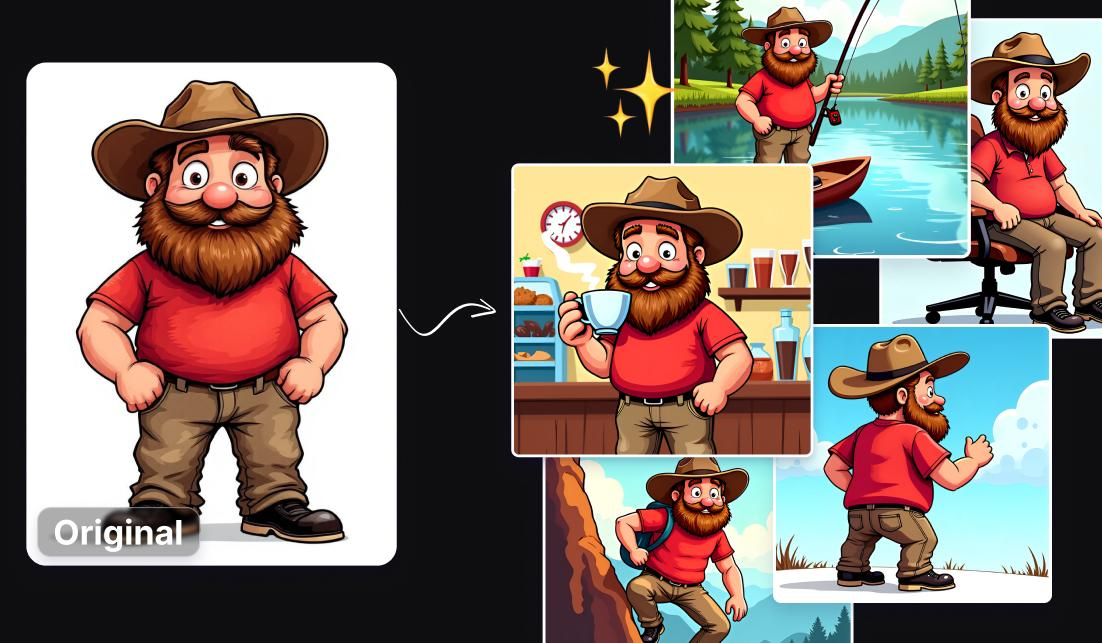
Maintaining the same character, product, or brand appearance across multiple images can be challenging with AI tools.
Images 2.6 aims to improve consistency during editing. This means users can make changes while preserving important visual details.
For example, a business can create several promotional images featuring the same product without repeatedly changing its appearance.
This is especially useful for brand campaigns, storytelling, product photography, and digital advertising.
4. Two New AI Models: Flare and Sunburst
OpenAI has introduced two API models with different creative strengths.
| Model | Main purpose |
|---|---|
| GPT-Image-2.6 Flare | Faster image generation and professional layouts |
| GPT-Image-2.6 Sunburst | Higher-quality images and consistency across edits |
Flare is designed for faster creative work and can generate images in as little as six seconds at low-quality settings.
Sunburst is better suited to tasks that require greater detail and precision, particularly when using medium or high-quality settings.
These models give developers more flexibility when building AI-powered creative applications. OpenAI
5. Reusable Reference Images
Another useful addition is the ability to save reference images for future creative projects.
Instead of uploading the same picture repeatedly, users can reuse saved references when creating new visuals.
This can help people maintain consistency when working with personal characters, pets, products, and brand identities.
6. More Precise Editing With Image Markup
Images 2.6 also brings image markup capabilities to the API.
This allows developers to identify specific areas of an image that need changes rather than relying entirely on broad editing instructions.
For example, a designer could highlight a background, product label, or particular object and request a targeted adjustment.
This offers more control over the final result and can reduce unnecessary changes to other parts of an image. OpenAI
7. SVG Export and New Complexity Controls
The update also introduces SVG export, which is useful for creating scalable graphics for websites, applications, and print materials.
Additionally, developers can use a new complexity parameter to control how much planning the model applies to an image-generation task.
Lower complexity is suitable for many quick edits, while more complex scenes may benefit from medium or high settings.
Together, these improvements make the tool more flexible for professional creative workflows. OpenAI
How Can Content Creators and Businesses Benefit?
ChatGPT Images 2.6 could make visual content creation easier for different types of users.
Here are some practical examples:
- Social media creators: Create animated GIFs, reactions, and engaging visual posts.
- Digital marketers: Develop promotional graphics and advertising creatives.
- Small businesses: Generate product visuals without always hiring a designer.
- Bloggers: Create illustrations and featured images for articles.
- Graphic designers: Experiment with concepts and refine designs more quickly.
- Developers: Integrate AI image generation into websites and applications through the API.
If you are interested in improving your content strategy, also explore our guide on Social Media Trends in 2026.
ChatGPT Images 2.6 Availability
OpenAI announced global availability of Images 2.6 in ChatGPT and Codex across subscription tiers on desktop, mobile, and web.
The new Flare and Sunburst models are also available through the API for developers. However, GIF creation is rolling out gradually, so the feature may not appear in every account immediately.
Availability of individual features can depend on rollout progress and account access. OpenAI+1
For more details, visit the official OpenAI Images 2.6 announcement.
Is ChatGPT Images 2.6 Worth Trying?
Yes, ChatGPT Images 2.6 is an interesting upgrade for anyone who regularly creates digital visuals.
Its GIF generation, faster image processing, improved editing consistency, and developer-focused tools make it more useful for creative projects.
Although it may not replace professional graphic-design software for every task, it provides another convenient option for people who want to turn ideas into images and animations using AI.
As AI-generated content continues to grow, tools like ChatGPT Images 2.6 could play an increasingly important role in digital marketing, online businesses, and social media.
Frequently Asked Questions (FAQs)
1. What is ChatGPT Images 2.6?
ChatGPT Images 2.6 is OpenAI’s upgraded image-generation technology that introduces animated GIFs, faster image generation, improved editing, and reusable reference images.
2. Can ChatGPT Images 2.6 create GIFs?
Yes. Users can generate animated GIFs from text prompts or existing images, adjust animation speed, edit individual frames, and share their creations.
3. Is ChatGPT Images 2.6 faster than the previous version?
OpenAI says Images 2.6 generates images 50% faster than its predecessor.
4. What are GPT-Image-2.6 Flare and Sunburst?
Flare focuses on faster image generation, while Sunburst is designed for higher-quality visuals and greater consistency across editing rounds.
5. Is ChatGPT Images 2.6 free?
Images 2.6 is available across ChatGPT subscription tiers. However, individual usage limits and feature availability may vary.
6. Can businesses use ChatGPT Images 2.6?
Yes. Businesses can use it to create promotional visuals, product images, animated GIFs, marketing content, and other creative assets.
7. Where can I access ChatGPT Images 2.6?
You can access ChatGPT Images through ChatGPT on the web and mobile apps. GIF creation is being rolled out gradually.